Checkmk integration Guide
Checkmk is a comprehensive IT monitoring platform that delivers deep visibility into servers, networks, applications, cloud services, and other infrastructure. It helps centralize observability, automate alerts, and enrich operational workflows with real-time monitoring data.
What can Zenduty do for Checkmk users?
With the Checkmk integration, alerts generated by Checkmk are sent directly into IMR using a webhook URL. IMR then routes alerts to the right teams based on escalation policies and notifies them via email, SMS, voice calls, Slack, Microsoft Teams, push notifications, and more—continuing escalation until the alert is acknowledged or resolved.
You can also use Alert Rules to custom route specific Checkmk Core alerts to specific users, teams or escalation policies, write suppression rules, auto add notes, responders and incident tasks.
To integrate Checkmk with Zenduty, complete the following steps:
On the Zenduty Dashboard:
- To add a new Checkmk integration, go to Teams on Zenduty and click on the team you want to add the integration to.
- Next, go to Services and click on the relevant Service.
- Go to Integrations and then Add New Integration. Give it a name and select the application Checkmk from the dropdown menu.
- Go to Configure under your Integrations and copy the Webhook URL generated.
In Checkmk (Docker Deployment):
- Access the Docker Container
	$ docker ps
	$ docker exec -it <CONTAINER_ID> /bin/bash
- Navigate to the Notifications Directory
$ cd /opt/omd/sites/cmk/local/share/check_mk/notifications/
- If the folder does not exist:
  $ mkdir -p /opt/omd/sites/cmk/local/share/check_mk/notifications/
$ cd /opt/omd/sites/cmk/local/share/check_mk/notifications/- Create the Notification Script
$ git clone https://github.com/xurrent/imr-checkmk-integration- Set Script Permissions
      $ chmod +x notify_via_imr.sh
$ chown cmk:cmk notify_via_imr.sh- Verify Installation
$ ls -la notify_via_imr.shIn Checkmk (Server Installation):
- Navigate to the notifications directory.
$ cd ~/local/share/check_mk/notifications/- Add or create the notification script.
- Set permissions
      $ chmod +x notify_via_imr.sh
$ ls -la notify_via_imr.sh- Restart Checkmk
$ omd restartIn Checkmk:
- Log into the Checkmk Web UI and navigate to Setup → Events → Notification
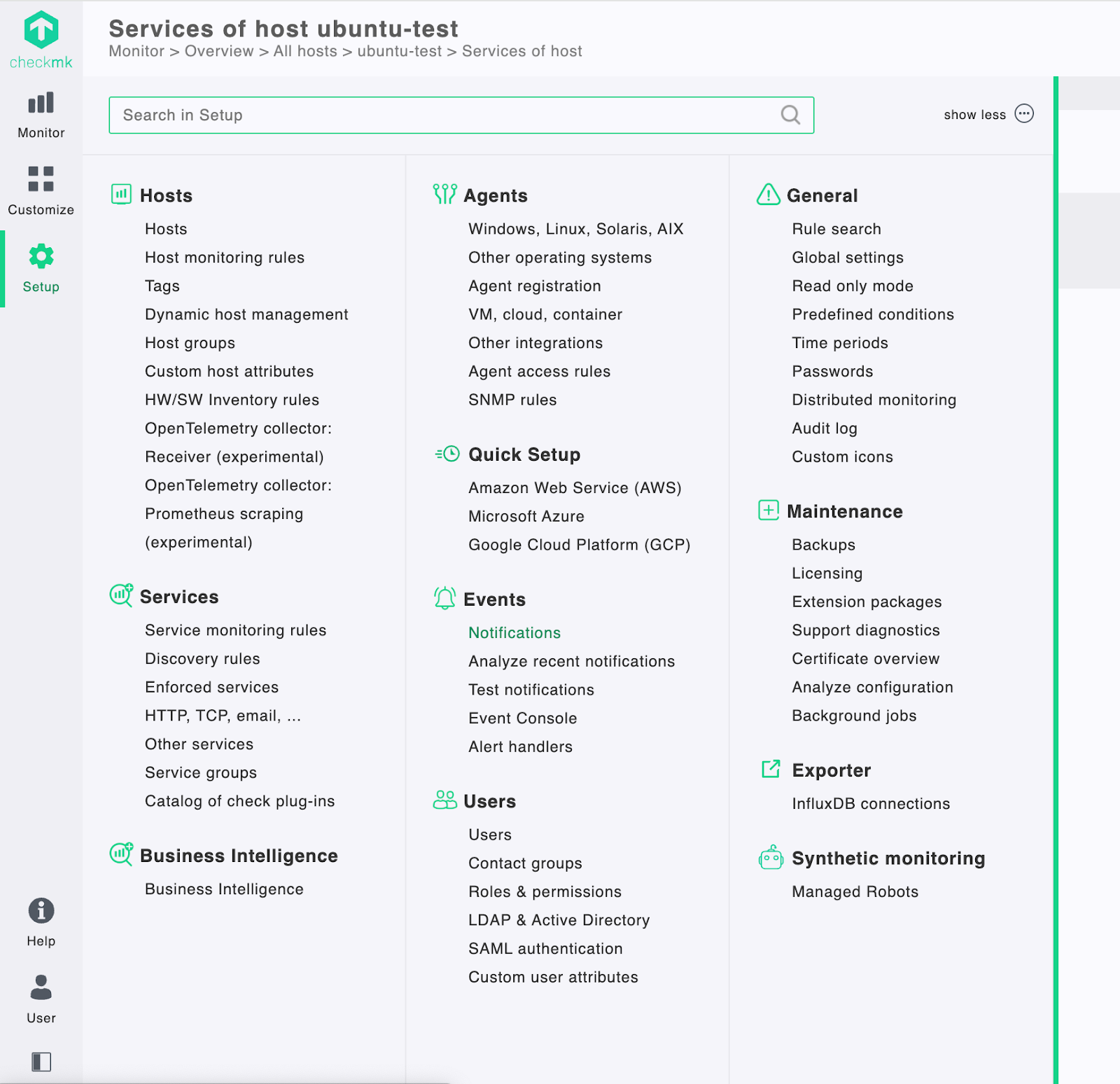
- Create a Notification Rule. Click Add rule.

- Configure Rule Settings
- Description: IMR Integration (or any name you prefer)
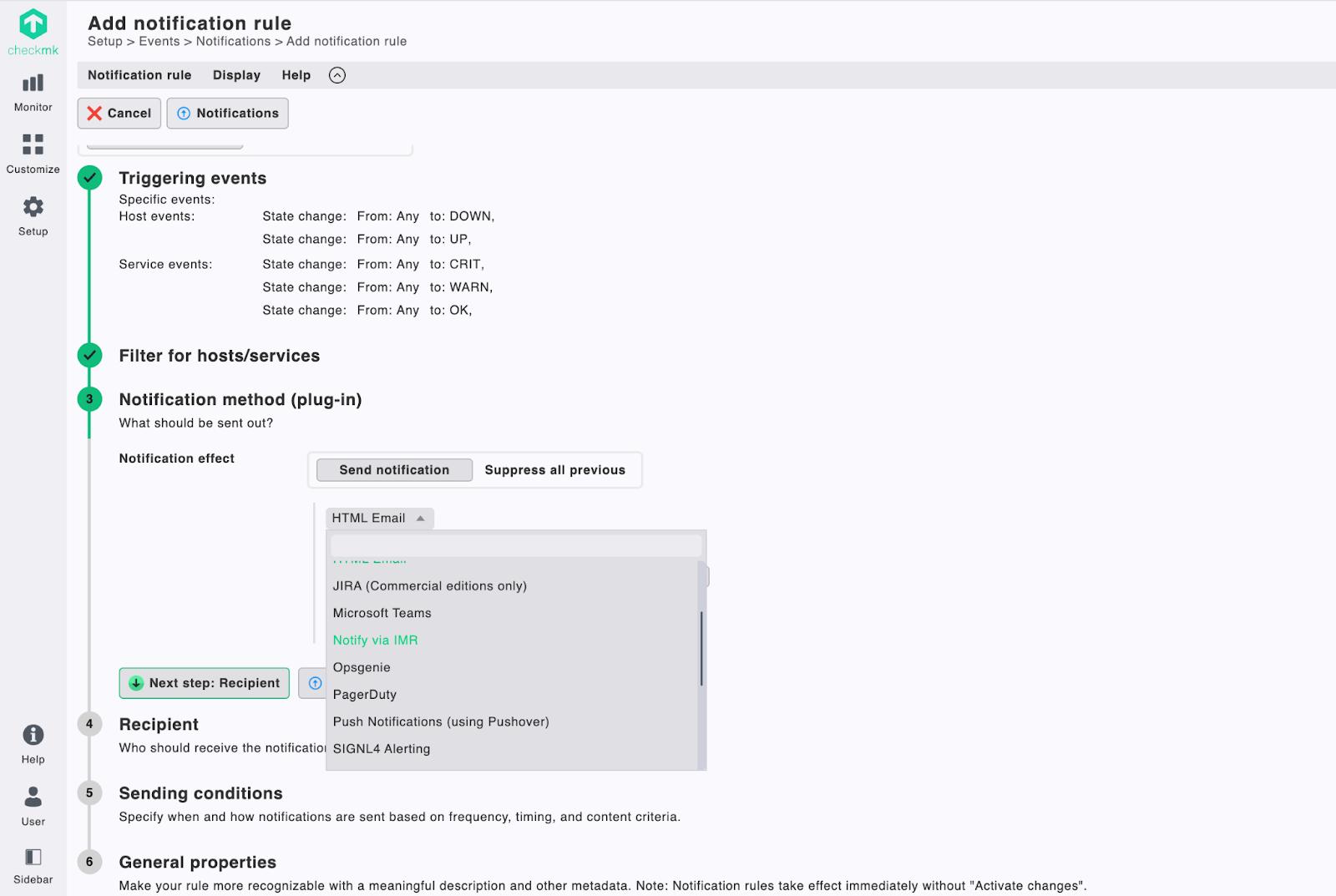
- Notification Method: Select the notification script (
notify_via_imr.sh). - Choose Contacts: Select contacts who should receive notifications.
- Select Parameter: Parameter name:
IMR_WEBHOOK. Paste your IMR webhook URL in the parameter field.
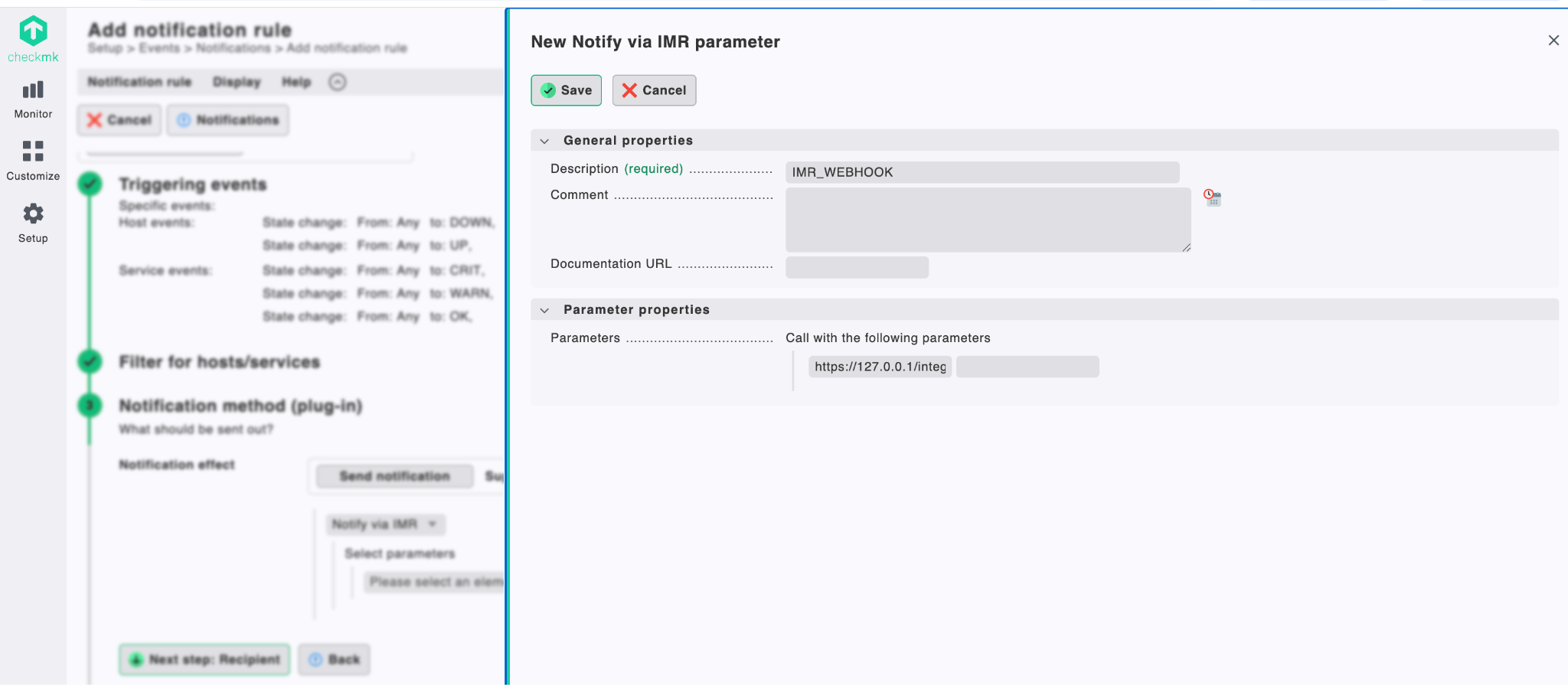
- Save the rule and Activate Changes.
Check Notification Logs
Docker:
      $ docker exec -it <CONTAINER_ID> /bin/bash
      $ tail -50 /opt/omd/sites/cmk/var/log/notify.log
Local server:
      $ su - <SITE_NAME>
      $ tail -50 var/log/notify.log